
Scheduling & publishing
Plan social media posts with recurring posting windows, review drafts in a calendar, and schedule publishing across supported channels.
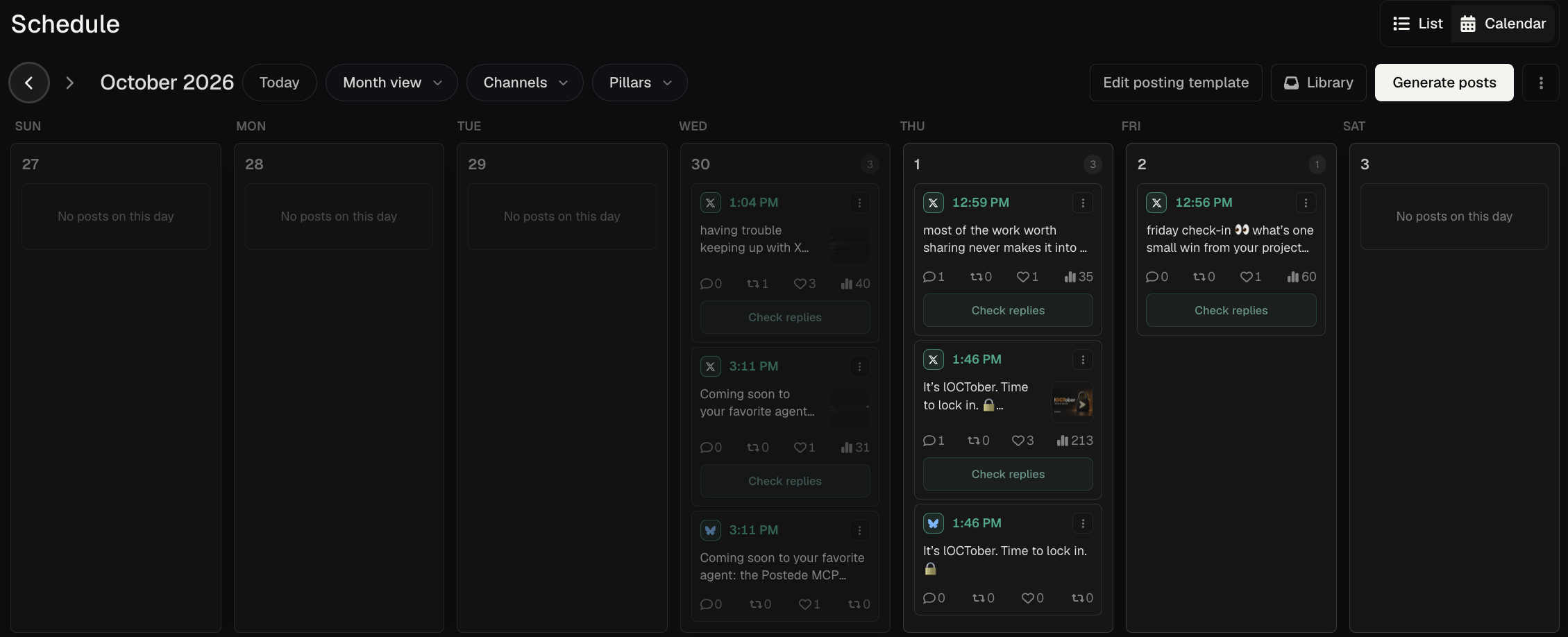
What you can do
Publishing calendar and list
See drafts, scheduled posts, and published posts together. Filter by channel or pillar to find gaps in the plan.
Recurring posting windows
Set regular slots and fill them with drafts so you can plan a week without choosing every time by hand.
Draft review
Open posts from the calendar to check their copy, media, and channel versions before you put them on the schedule.
Automatic and manual publishing
Schedule ahead or publish immediately on supported connections. Use the manual workflow where a channel requires it.
Schedule a release announcement
- Set a recurring weekday posting window in your posting template and tag it for a connected channel if you want a channel-specific slot.
- Open the CSV export draft from Schedule, review each channel’s copy, and select when it should go live.
- Check the calendar for the scheduled versions. Use channel filters to verify what is planned for each destination.