
Brand & product context
Use your website, optional GitHub sources, brand voice, and visual assets to give AI-generated social posts accurate details about your product.
What you can do
Brand identity
Keep your business description, website, and logo together so each project has the right brand details.
Product context
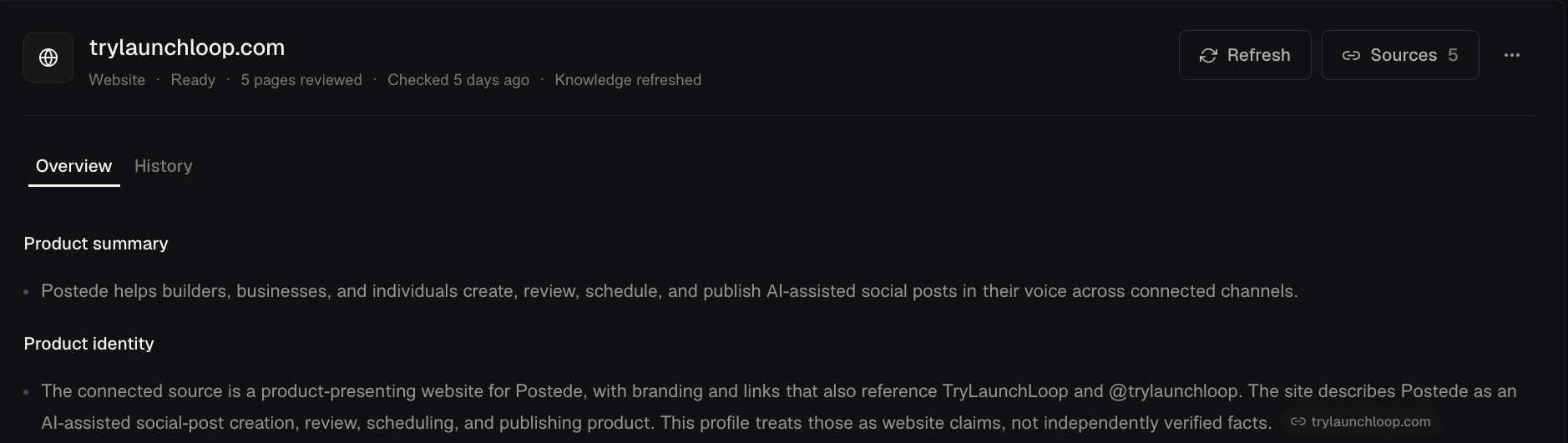
Review what Postede learns from your website and optional GitHub sources so drafts can describe real features and updates.
Brand voice
Preview writing examples and choose a voice for each supported channel type so posts sound like your brand.
Brand assets
Reuse logos, photos, and reference images across posts and use them to guide AI-generated visuals.
Give a product update the right details
- Add your website in Brand → Product. If you use GitHub, connect it as an additional source for shipped work.
- Review the product summary before drafting. For a CSV export launch, check that the summary explains which reports people can export and how to find the export.
- Set the voice you want in Brand → Voice, then open the composer and use those details to draft the announcement.